Page to Pillow

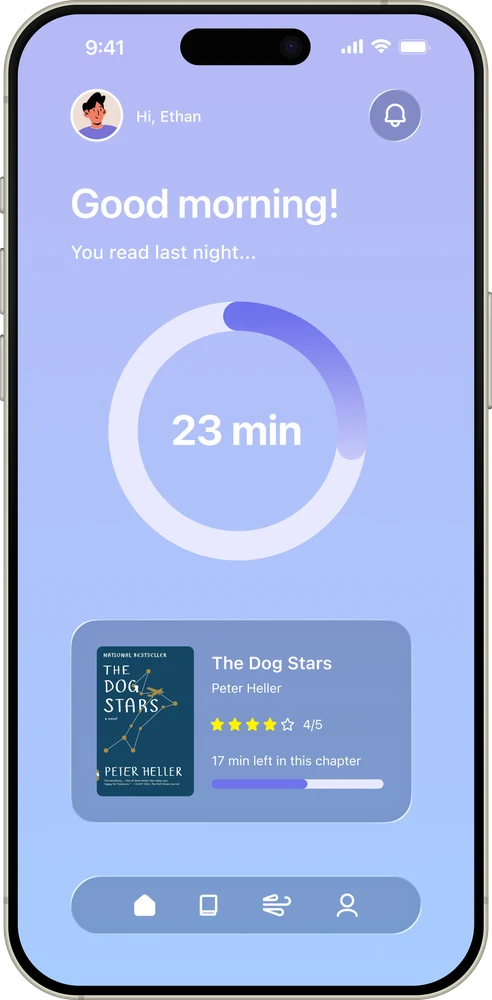
A wellness app that helps users wind down for sleep through personalized reading experiences. Combining smart sleep scheduling with curated book recommendations to help people with insomnia, busy schedules, and anyone who loves bedtime reading.

Role UI/UX Designer
Timeline Mar 2025
Tools Figma, Miro

Overview

In today's fast-paced world, many people struggle to fall asleep due to stress, anxiety, and excessive screen time before bed. While reading is a proven method to wind down, finding the right books and carving out time for reading remains a challenge.

Page to Pillow bridges this gap by creating a dedicated space for bedtime reading. The app intelligently calculates optimal wind-down times based on users' schedules and sleep goals, while offering personalized book recommendations that match their preferences.

Research & Discovery

Our research journey began with existing sleep scheduling apps, but we quickly realized this space was already saturated with solutions like Sleepytime and Rise. We pivoted to explore wind-down apps like BetterSleep, Calm, and Noisli, which focus on meditation and ambient sounds.

However, our research revealed a critical insight: reading is the most effective research-backed method for winding down before bed. Unlike scrolling social media or watching videos, which increase brain activity, reading physically slows you down and improves sleep quality.

This presented our opportunity: the market had plenty of meditation apps and sleep calculators, but nothing that specifically addressed reading as a wind-down tool. By combining sleep scheduling with reading discovery, we could address two problems simultaneously, helping users both find time to read and improve their sleep quality.

46% of U.S. adults didn't read a book in 2023, with "lack of time" as the primary reason. By integrating reading into bedtime routines, Page to Pillow helps users discover they actually do have time, while simultaneously improving their sleep quality.

Source: YouGov Survey, 2023

Onboarding Flow

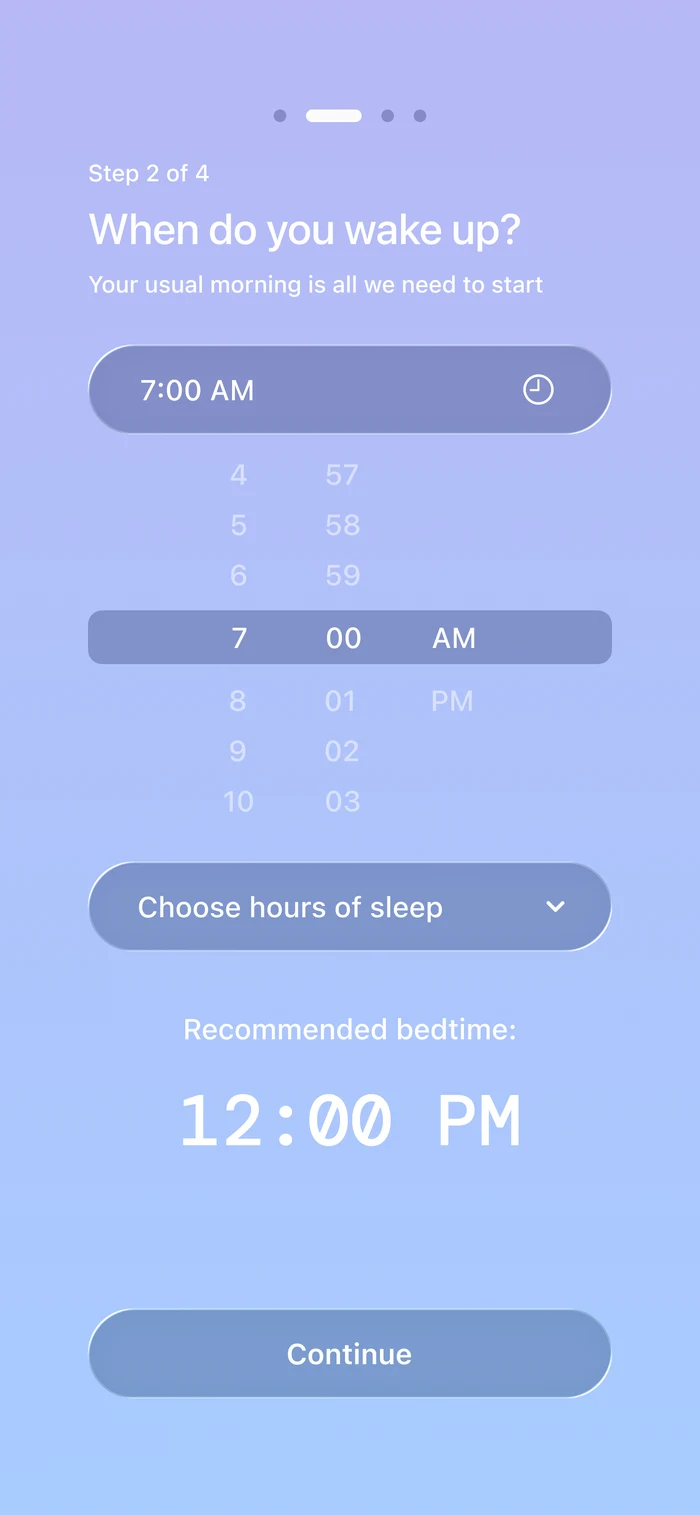
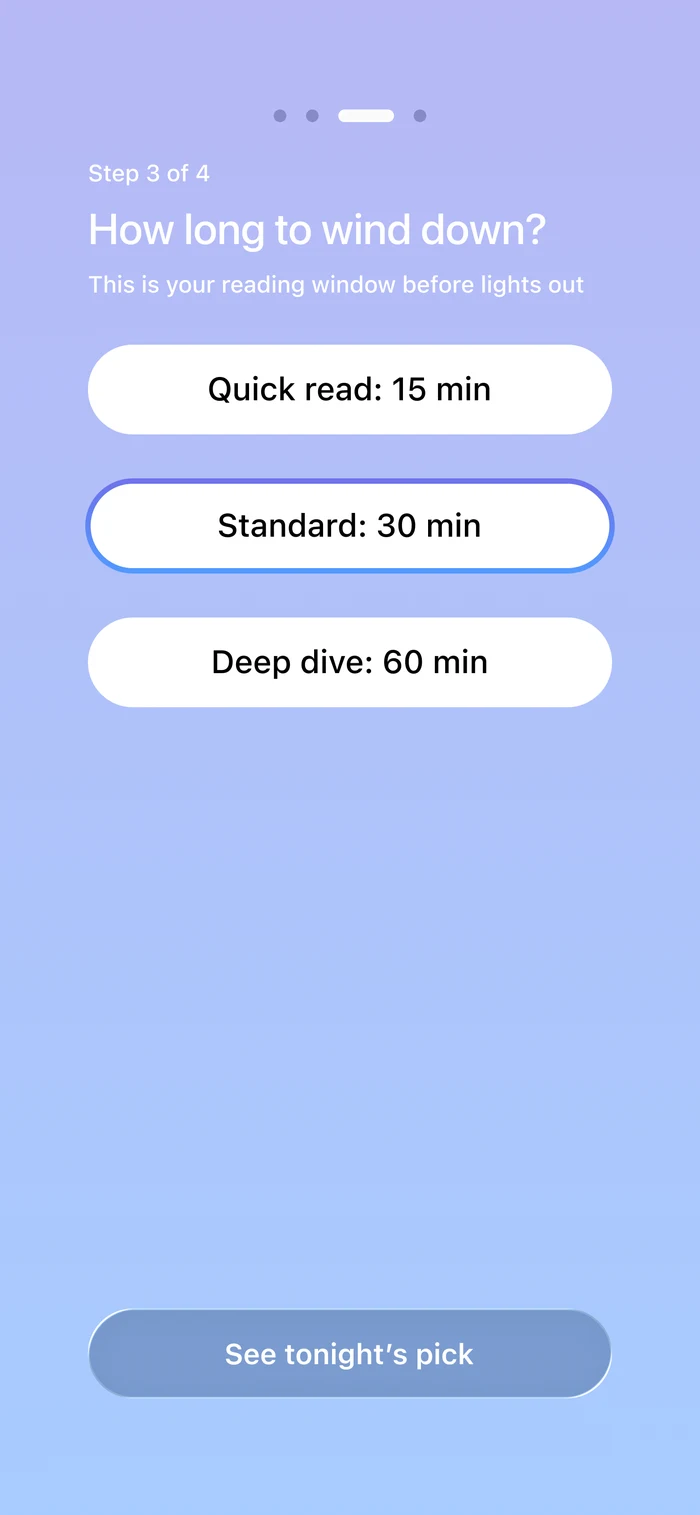
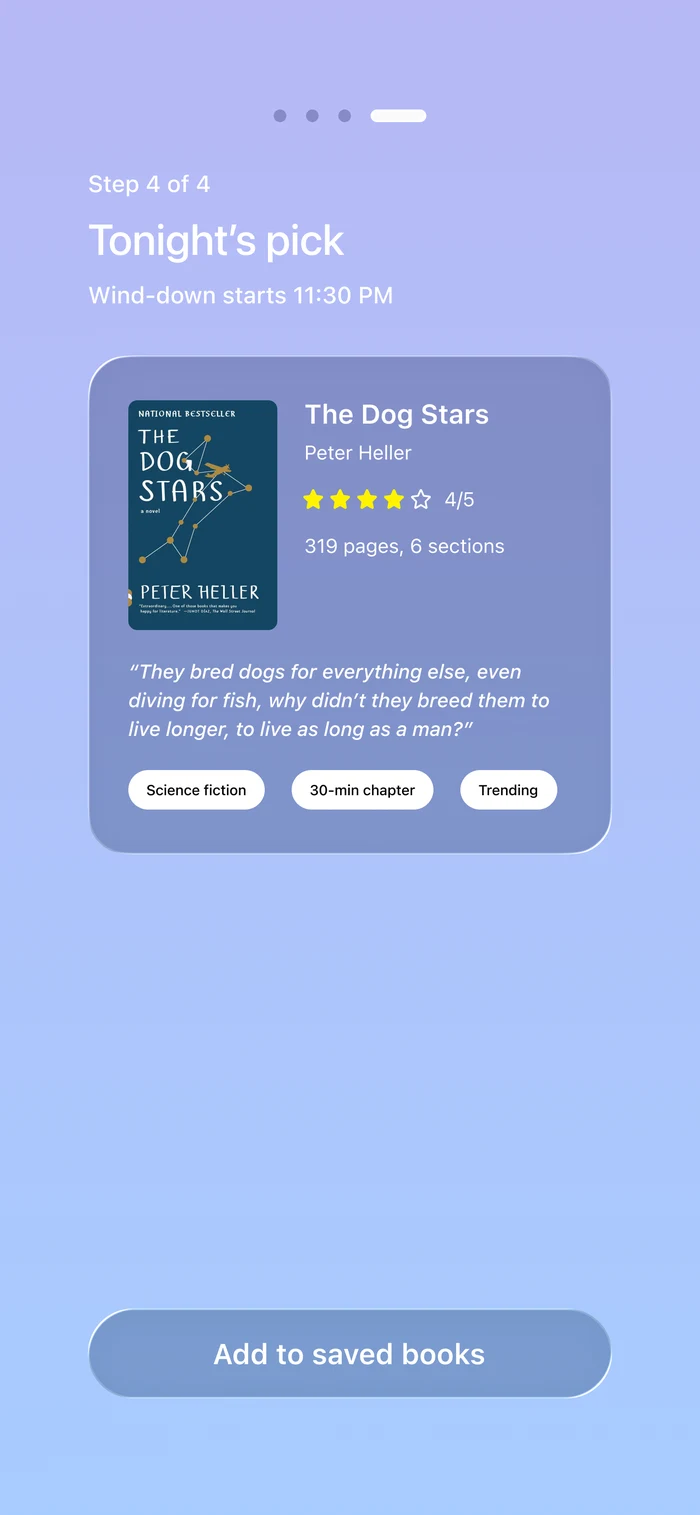
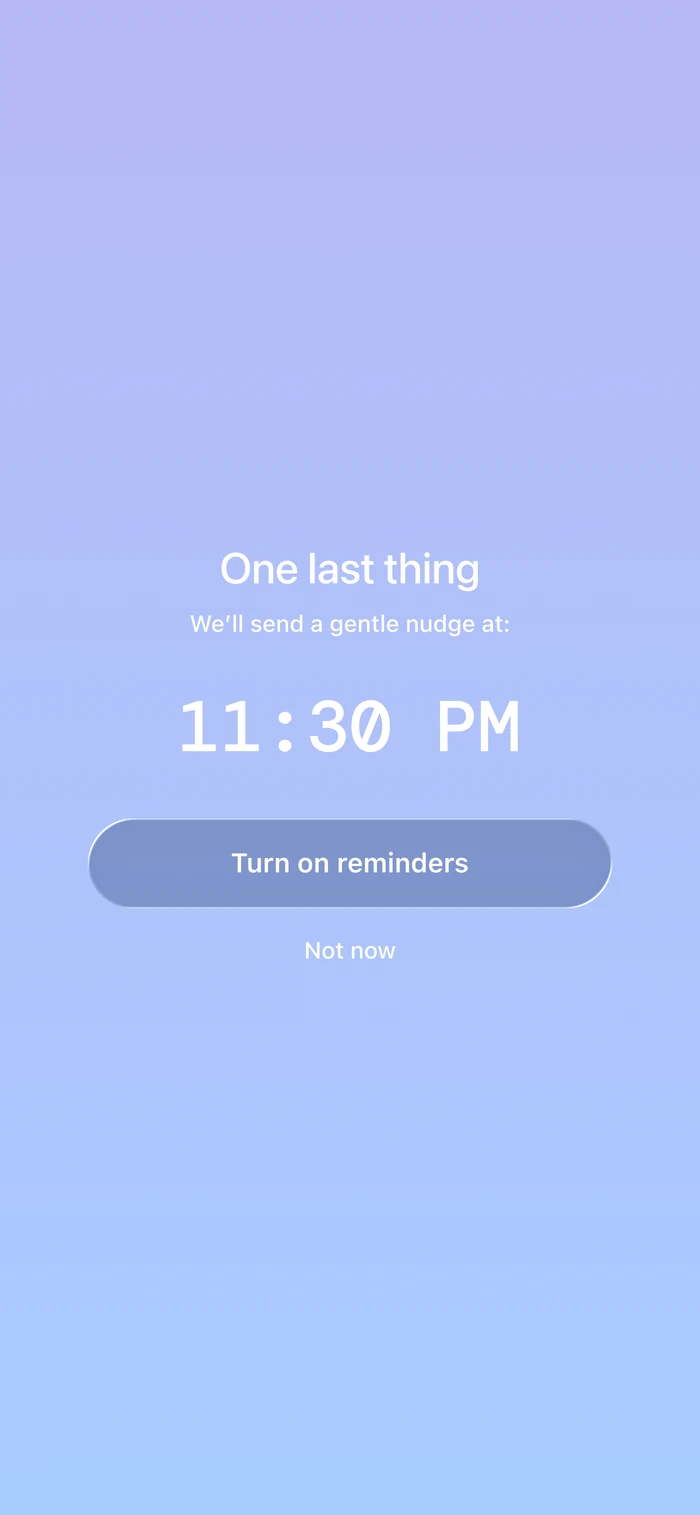
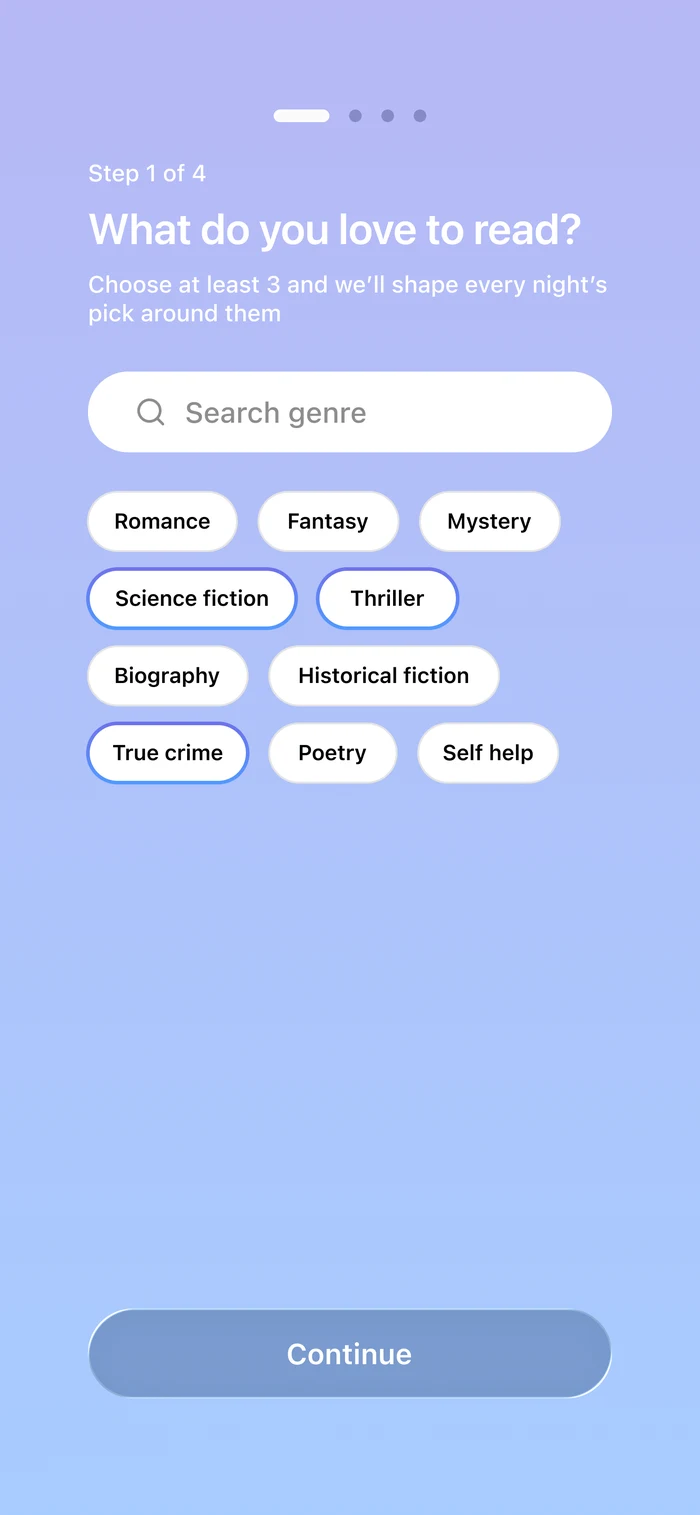
Users input their schedule, sleep goals, and reading preferences to personalize their experience
Welcome screen
Schedule input
Sleep goals
Reading preferences
Setup complete
Home page showing sleep tracking

Home

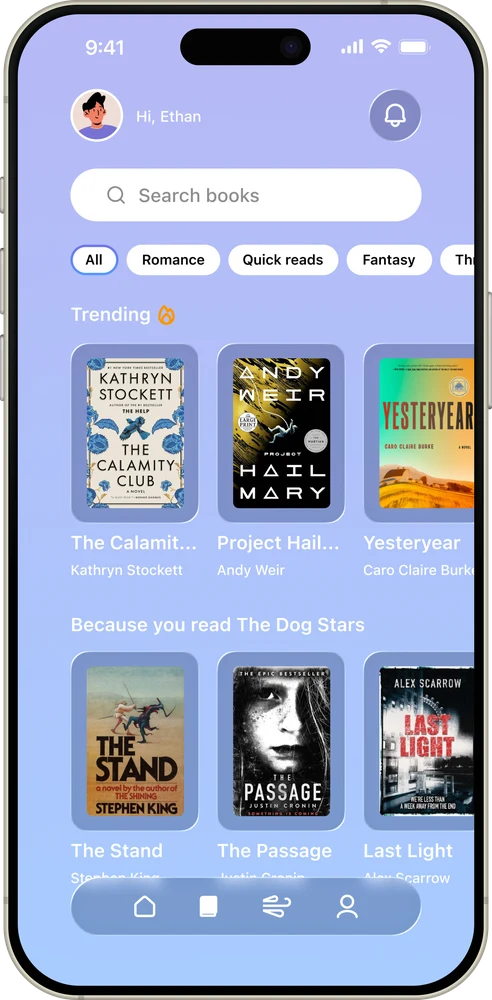
Books page with recommendations

Books

Wind down timer and reading interface

Wind-Down

Social page with streaks and friends

Profile

Wind down and reading interface

Calming color palette optimized for nighttime use

Design Decisions

Color Palette: We chose purple hues to create a calming, night-appropriate atmosphere. These colors passed Figma's color contrast accessibility tests, ensuring readability for users with visual impairments.

Typography & Layout: Large, clean typography with ample spacing makes the interface easy to navigate when users are tired. User testing confirmed the design "felt like a book" with 10/10 ratings on readability. The user-friendly layout ensures accessibility across all age groups, from college students to adults with insomnia.

Information Architecture: The four-page structure (Home, Books, Wind-Down, Profile) creates clear mental models for different tasks while keeping navigation simple and intuitive. Each page serves a distinct purpose in the bedtime routine journey.

User Testing & Validation

We conducted usability testing with target users to validate our design decisions and identify areas for improvement. The testing focused on three key areas: visual design effectiveness, navigation intuitiveness, and feature clarity.

Key Findings

✓ Strong Visual Design

Users rated both typography readability and color contrast 10/10, noting the design "felt like a book" and created a calming, positive mood that wasn't "too flashy." The dark purple and blue palette successfully achieved our goal of promoting relaxation while maintaining accessibility.

✓ High Adoption Intent

Participants indicated they were "pretty likely" to use the app in the future, particularly those who already enjoyed reading. This validated our target audience positioning and confirmed the app addresses a real need.

⚠ Navigation Improvement Opportunity

While overall navigation wasn't confusing, users suggested making toolbar icons clickable in addition to text labels. This feedback highlighted an opportunity to improve tap target accessibility and user efficiency.

Design Iterations

Based on user feedback, we identified the following improvements for future iterations:

    Expanded clickable areas: Make both icons and labels tappable in the toolbar for better usability and larger touch targets

    Onboarding clarity: Enhance first-time user experience to better communicate the app's core value proposition of time-efficient bedtime reading

    Task completion metrics: Continue testing time-to-completion for key tasks like adding books and editing schedules to ensure efficiency

Next Project Editorial Spreads →